
Symptom: The API returns a 401 / success:false with "Invalid API Key or Token" even though the key shown in your dashboard is correct.
Most common cause: an IP whitelist on the key. If a key has one or more whitelisted IPs, requests from any other IP are rejected with this error - even though the key itself is valid.
How to check: open the API Keys screen in your SMS.to dashboard and look at the Whitelisted IP(s) column for the key.
Fix: add the public IP your application sends from to the key's whitelist. You can also use IP ranges. IPv6 example : 2001:0db8::/32. IPv4 example : 192.168.1.0/24
If you are unsure of your sending IP, check with your hosting provider or test from the server that will send the messages. Leaving the whitelist empty removes the restriction entirely - less secure, only do this if you understand the tradeoff.
Another common cause: an expired key. Keys can be created with an expiry date, and once that date passes the key stops working and returns this same error, even though it still shows in your dashboard.
How to check: open the API Keys screen and look at the Expires At column for the key you're using.
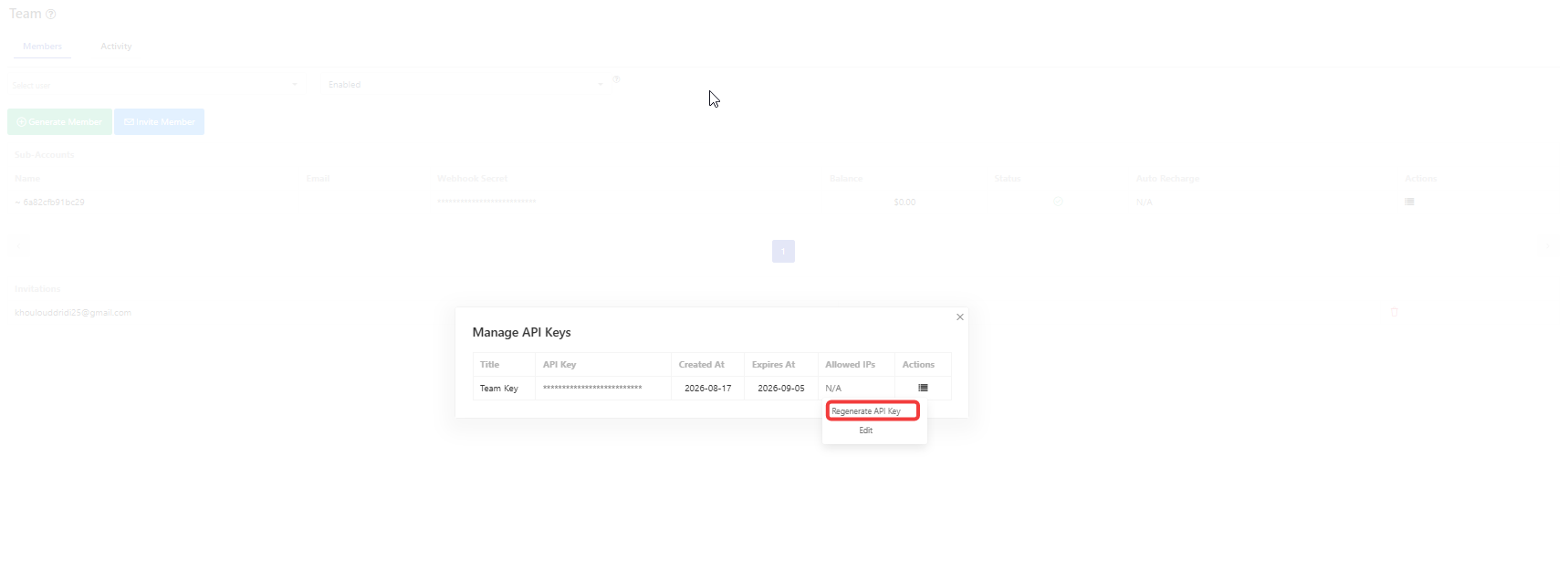
Fix: a key's expiry date can't be extended - regenerate the key (or generate a new one) and update your application with it.
Still failing after whitelisting the correct IP and confirming the key hasn't expired? Contact support with the exact error, the endpoint you are calling, and the approximate time of the failed request.
If you have any questions, please send an email to support@sms.to